Let's set up Chrome Extension
Create and join Google Meet calls in seconds
1
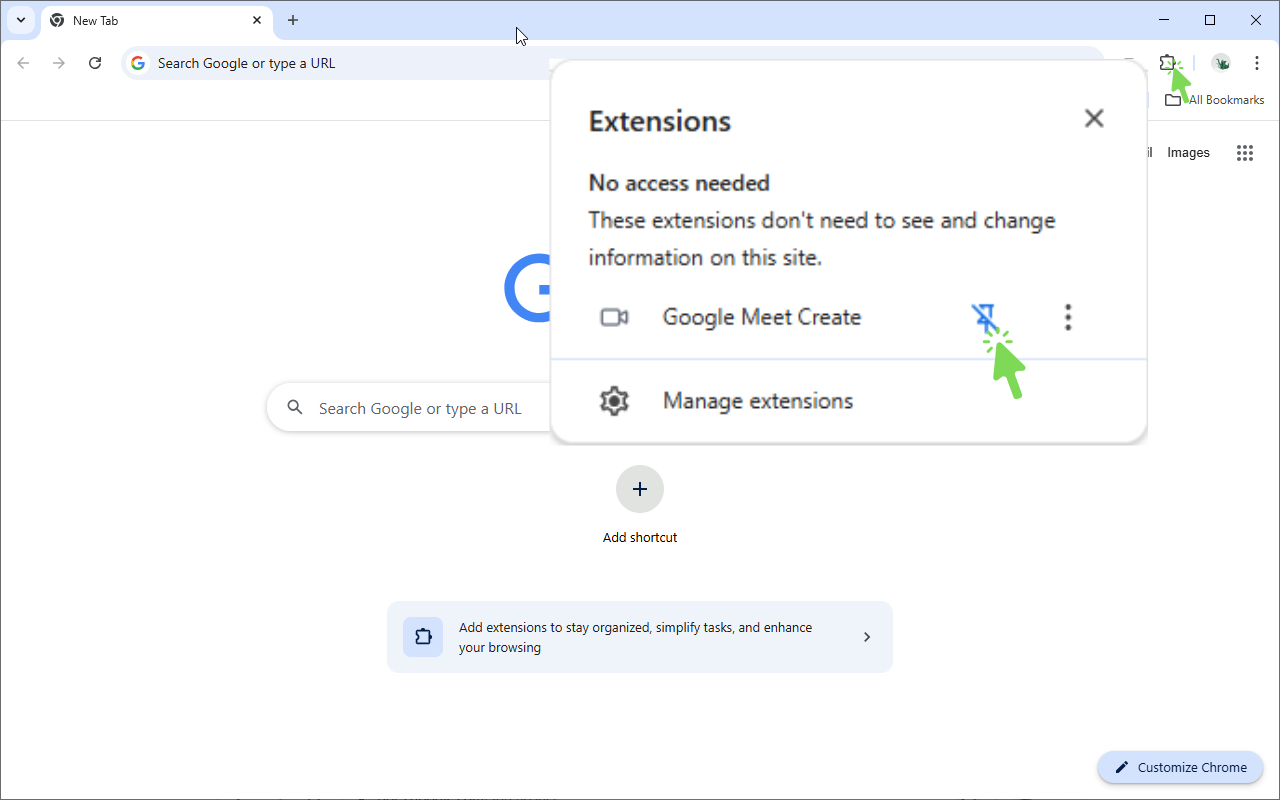
Pin extension to toolbar
Find the Google Meet Create extension in the Extensions menu and click the pin icon to keep it visible in your toolbar for quick access
2
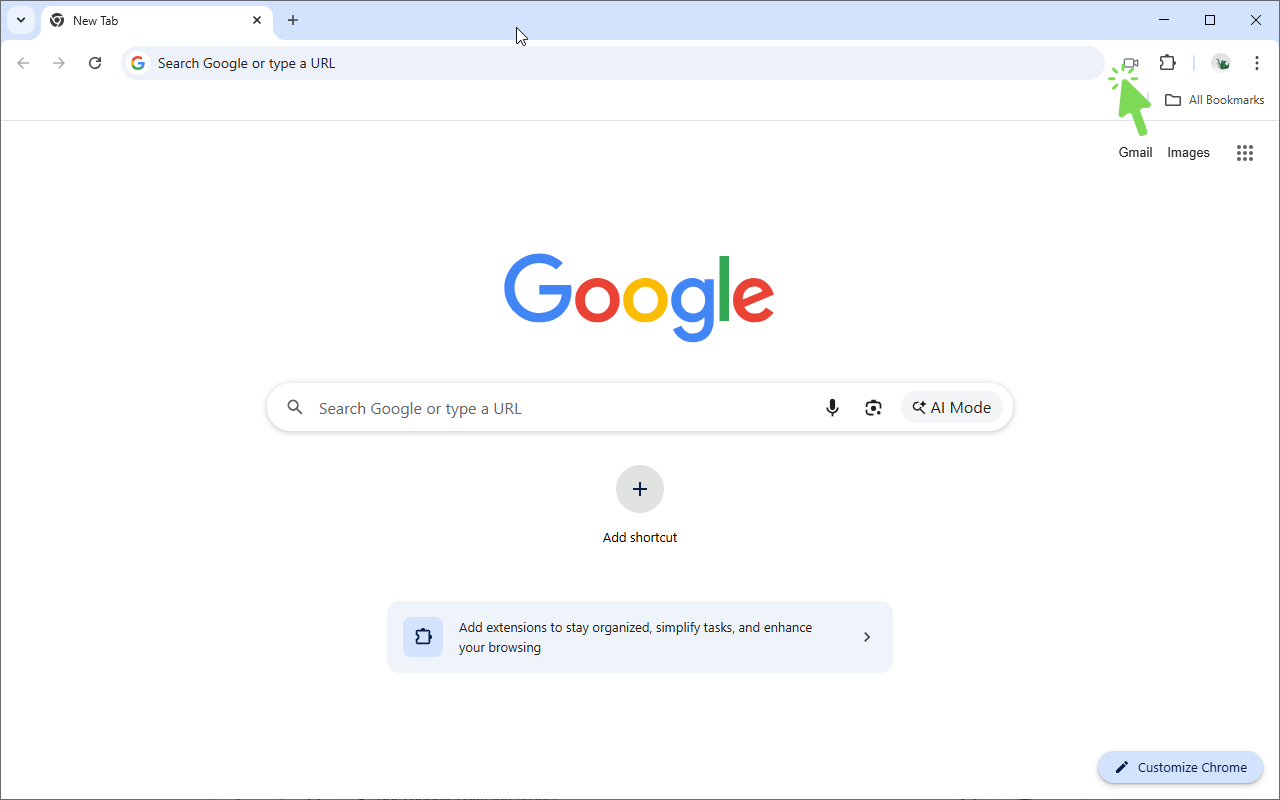
Click extension icon to create meeting
Click the Google Meet Create extension icon in your toolbar to open the menu and create a new meeting
3
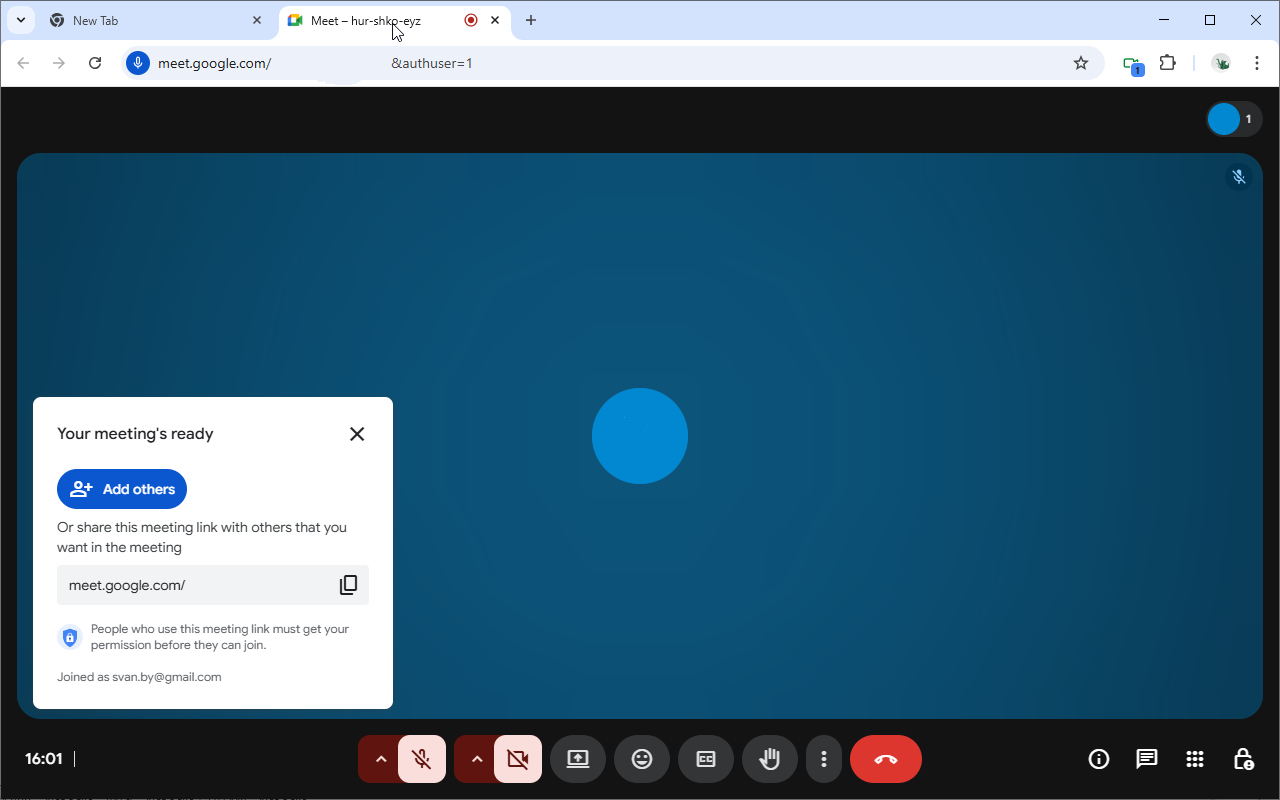
Your meeting is created
After clicking the extension icon, a new Google Meet call will be created and opened in a new tab. If there's already an open meeting in the current browser window, it will be automatically activated instead. The browser may prompt you to sign in to the Google account that will be used for the meeting.
4
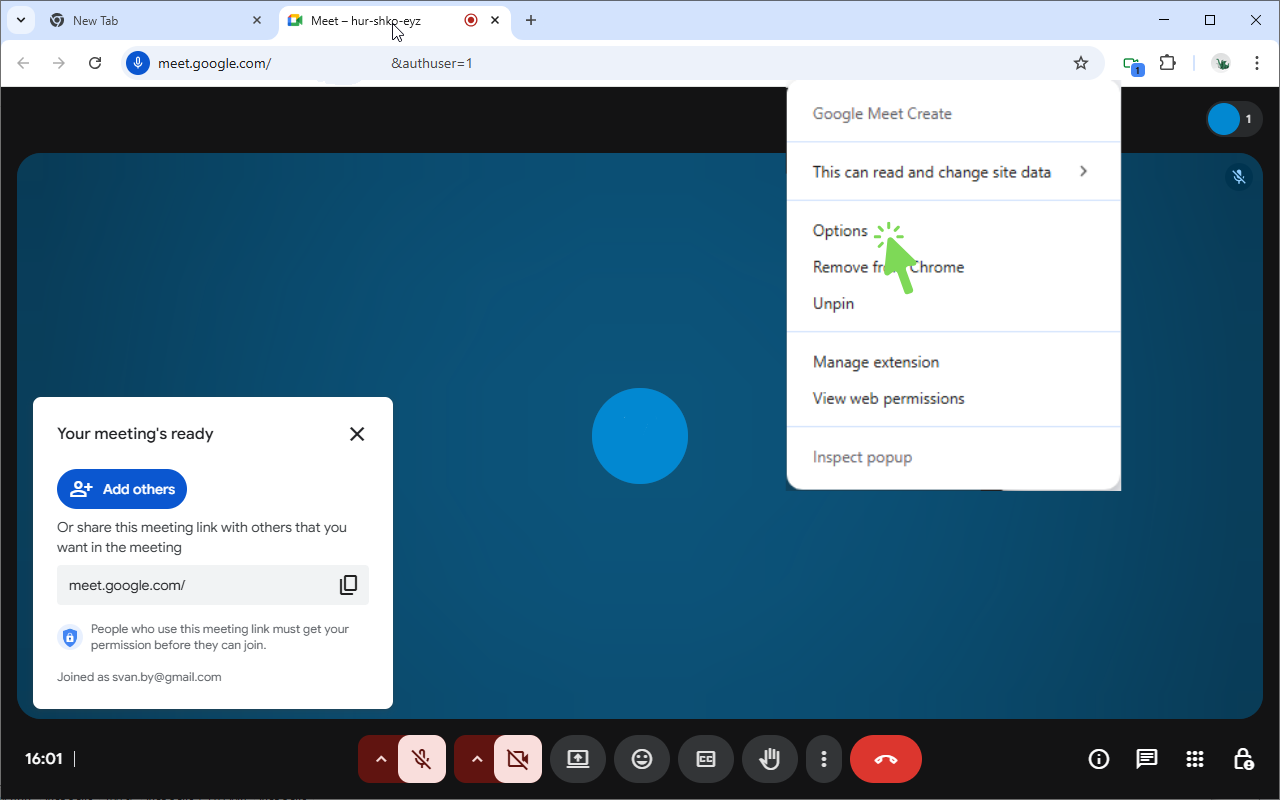
Open options page
Right-click the extension icon in your toolbar and select
Options to open the settings page
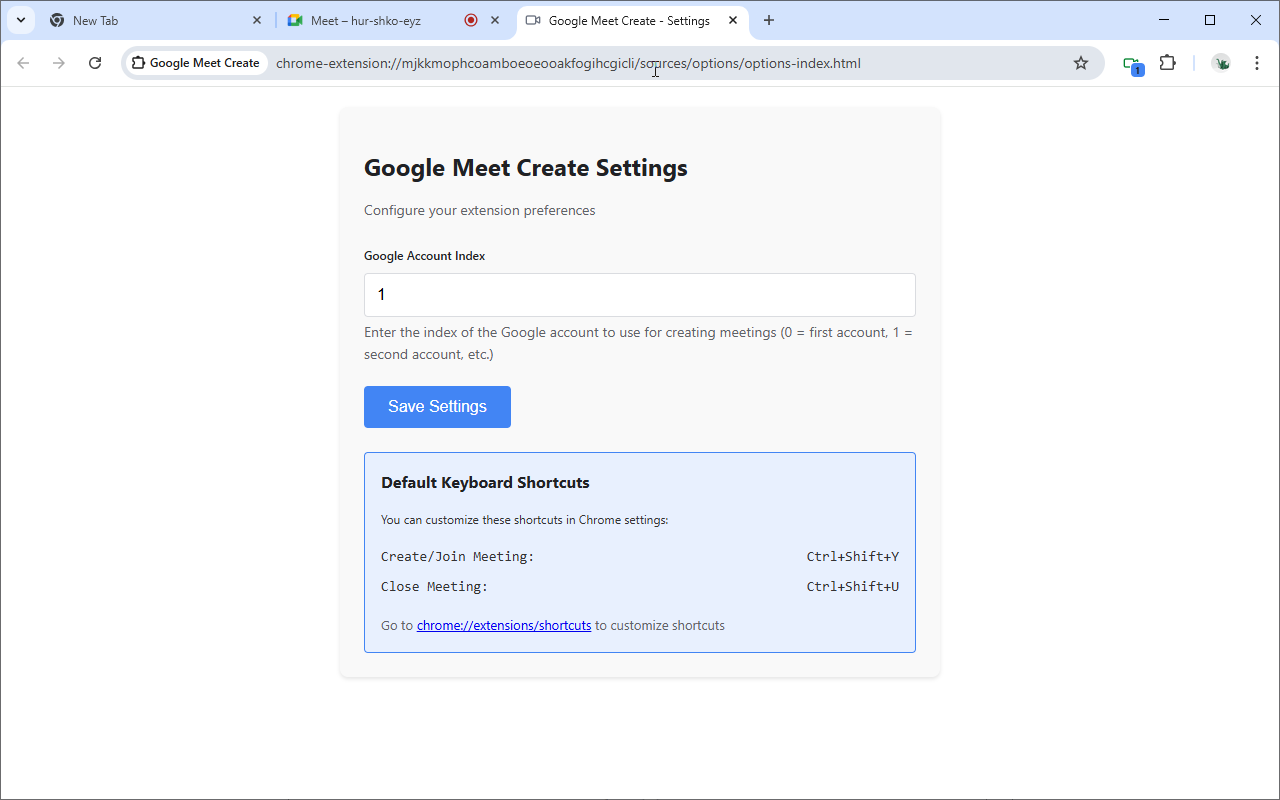
5
Configure Google account
On the options page, you can configure which Google account to use for meeting creation. Enter the account index (0 = first account, 1 = second account, etc.) and save your settings
✓
You're all set!